


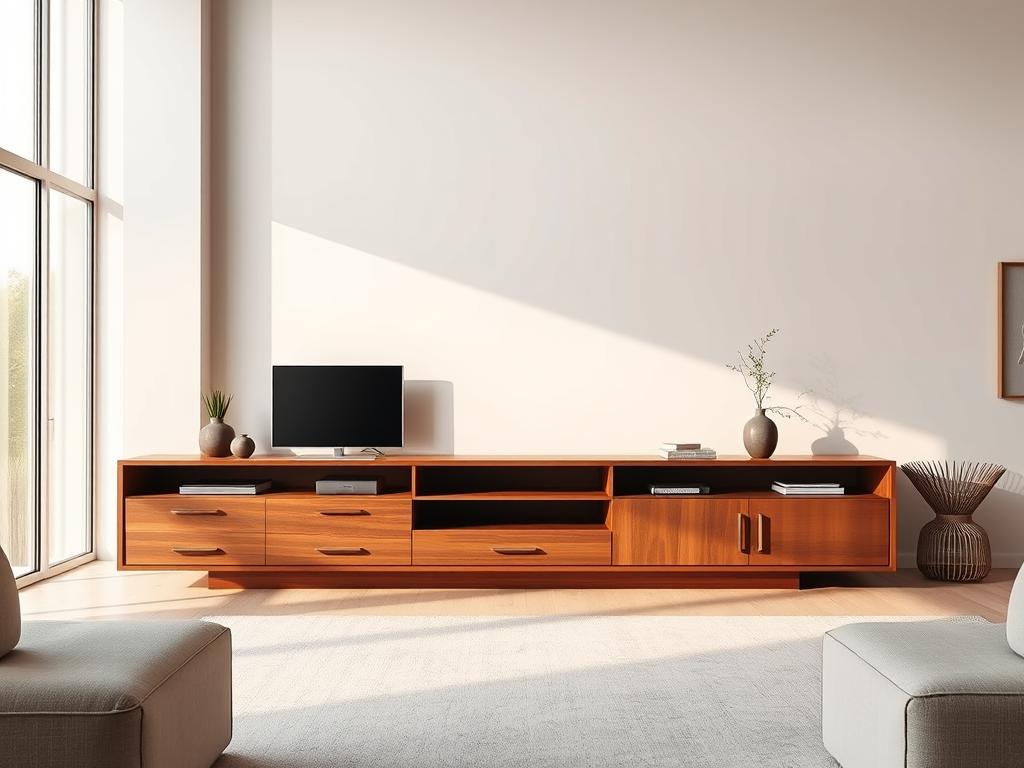


Alvar 63″ Oak 6-Drawer Chest(Set of 2)


Alvar Arched 62.9" Oak Sideboard with Drawers(Set of 2)


Alvar Arched 94.5″ Oak Modular Media Console(Set of 3)


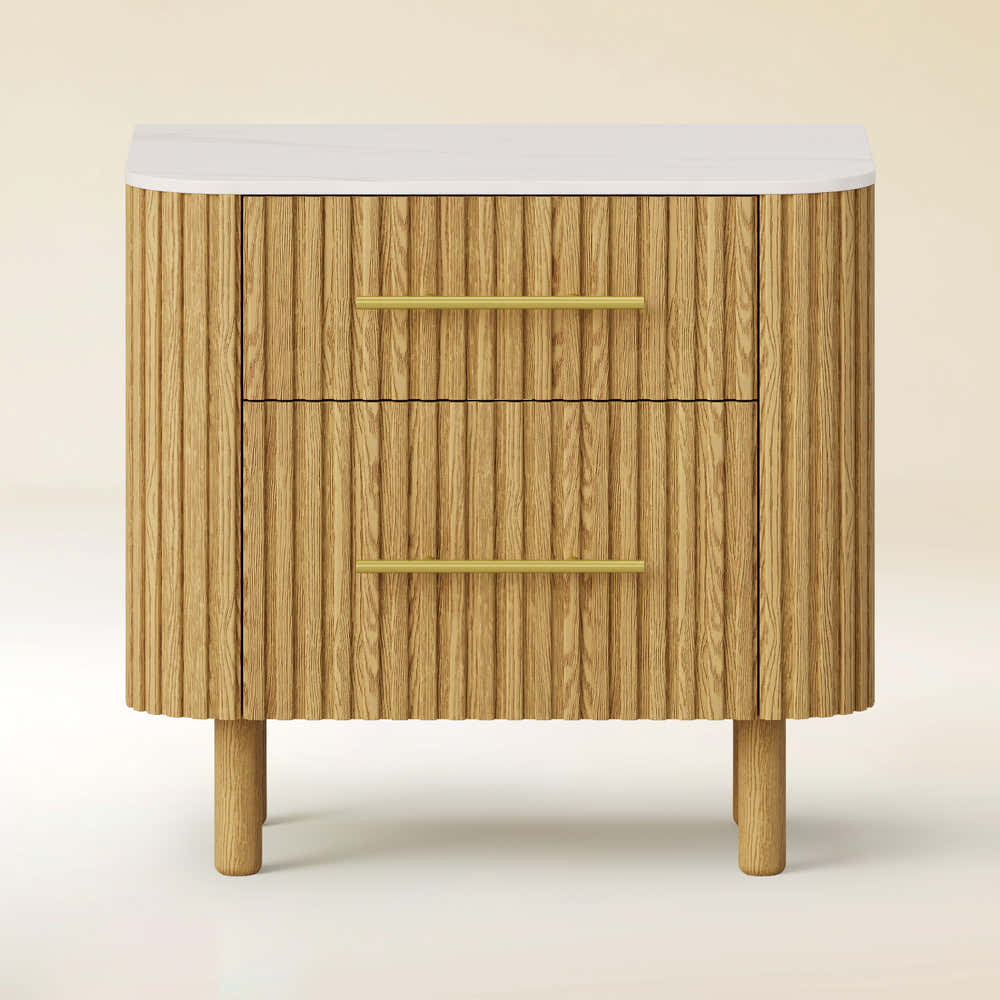


Charlie Sintered Stone Nightstand 26" W


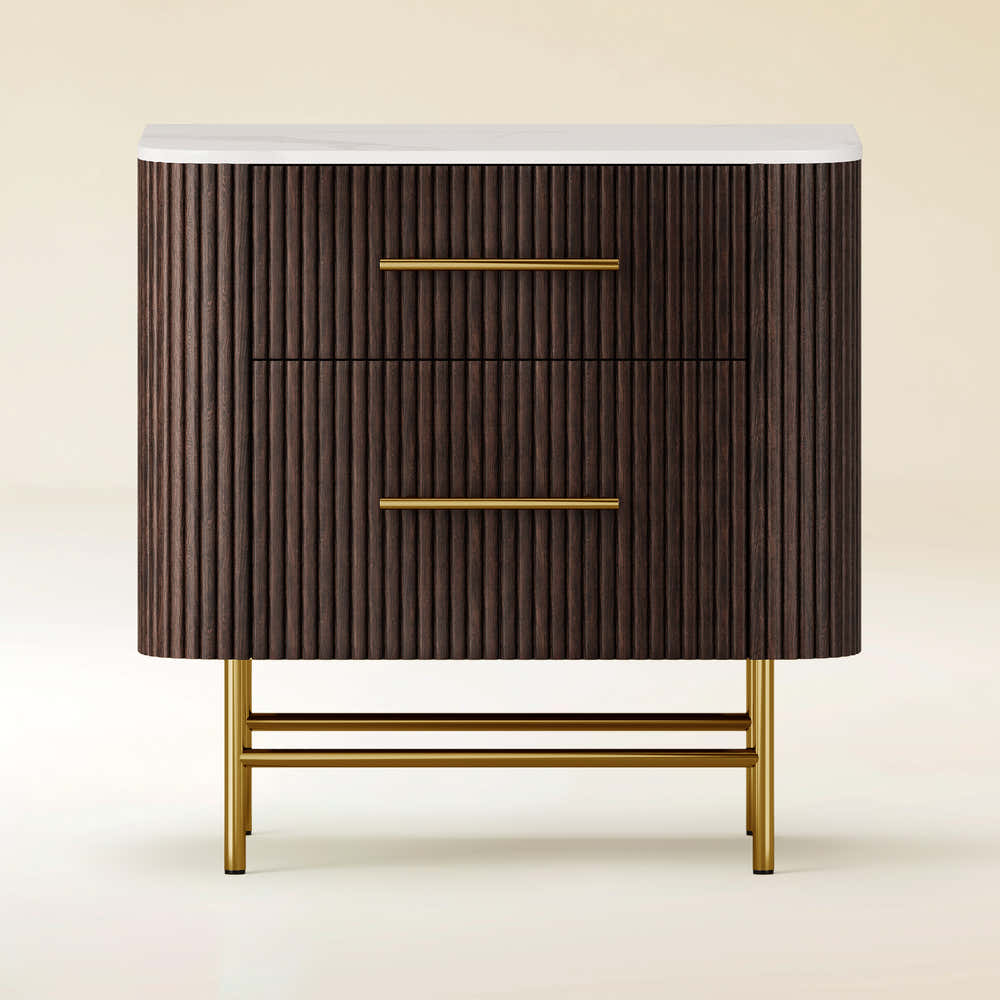


Ewan Sintered Stone Nightstand 26"W


Holt 63″ Solid Oak Console(Set of 2)


Holt 95″ Solid Oak Console(Set of 3)


Moira Alabaster Round Chandelier 24"D


Silas Extendable TV Stand 80" to 110"


Sylvia Palladian Alabaster Wall Sconce 20"H


Alvar Arched 95″ Oak Media Console(Set of 3)


Ewan Oak Extendable Media Console 79" to 110"


Holt 126″ Solid Oak Console(Set of 4)


OpalEdge Alabaster Wall Sconce 14"H

FSC FCOC47059 . FSC is dedicated to the promotion of responsible forest management
worldwide. By selecting this product, you help take care of the woorld's forests

UL-certified for indoor drying environments not directly exposed to excessive moisture or water;
Use in the United States and Canada.

Certified to Dry ETL electrical standard: suitable for use indoors in dry locations not directly exposed to excessive moisture and water
Use in the United States

CE-certified drying equipment compliant with electrical standards: Suitable for indoor drying environments not directly exposed to excessive moisture or water;
Tested for use in Europe, the UK, and other regions.


The support center has answers to questions you may have. You can also contact customer service in the support center if you can't find what you're looking for.
Support Center >
At houlte, we are committed to delivering quality, style, and great value to our customers. Our goal is to simplify your shopping experience by providing competitive prices and exceptional service.

If an item you purchased from houlte goes on sale on our website within 30 days of your purchase date, you may request a price match. This policy ensures you always receive the best value when shopping with us.
Houlte reserves the right to interpret and adjust the terms of the Price Match Policy as necessary.
Houlte has partnered with Taskrabbit to make your everyday life at home easier by connecting you with flexible and affordable ways to get your to-do’s done including furniture assembly and mounting.

1. Purchase your furniture at Houlte.
2. Check your order Dispatched and Delivered email and click the
Houlte link. You will be redirected to Taskrabbit's landing page.
3. Post your task on Taskrabbit platform.
4. Pick the best tasker to assemble your furniture.
Houlte has partnered with Taskrabbit to make your everyday life at home easier by connecting you with flexible and affordable ways to get your to-do’s done including furniture assembly and mounting.
Taskrabbit Assembly is available in most metro areas in the US. The availability of Taskers varies based on demand. When placing an order on Taskrabbit, you will need to enter your zip code. If the service is not supported in your area, you will not be able to place an order.
You can book assembly for your Houlte furniture as early as the next day after your delivery, and up to 14 days in advance, giving you flexibility to choose a time that works best for you.

Ready to use out of the box; minimal installation may be required (e.g., handles).

Main structure is pre-built; minor components require attachment (e.g., legs).

Assembly required; multiple parts must be assembled before use.
Our furniture is built with a combination of core boards, real wood veneers, and selected solid wood parts. Each material is used for a different purpose—structure, surface appearance, or visible strength—so the final piece feels balanced in performance, finish, and cost.
Core boards form the internal foundation of the furniture. They provide structure, stability, and efficiency across large surfaces and cabinet bodies.

Stable structural board

Smooth and consistent

Functional internal board
Selected solid wood parts are used where visible strength, tactile quality, and structural integrity matter most—such as legs, frames, trim, and exposed support details.

Durable and classic

Light and versatile

Premium and elevated
At Houlte, we treat the living room as a place for calm and delight. This short guide will help you pick the right stand and size so your TV and furniture feel in balance.
A media piece should be a few inches wider than your screen. Aim to place the center of the display about 42–48 inches from the floor for easy viewing. Typical depths run 12–20+ inches to fit players and speakers.
We explain how to match panel width to console width so the screen does not overhang. You will learn smart tips for height, storage, and layout that keep a room open and tidy.
Houlte crafts furniture that folds comfort and style together. With North America and UK warehouses, delivery is fast and reliable for people across the US and beyond.

Choose a stand that balances your screen, storage needs, and room flow. Start by listing your goals: a compact stand for current devices or a wider piece for future upgrades.
Measure the TV’s actual panel width in inches and pick a stand a few inches wider for stability and a refined look. Confirm the seated center-of-screen height lands near 42–48 inches to keep viewing comfortable at eye level.
Depth matters: select 15–20 inches if you run players, soundbars, and gaming devices. Choose closed storage to hide clutter or open shelving for easy access. Allow airflow and clear cable paths so devices run cool and remain reachable.
Houlte designs focus on comfort and harmony, helping pieces fit your space and lifestyle. Fast fulfillment across the US, Canada, and the UK keeps your selection on schedule.
Start by converting the TV diagonal into usable inches so the stand and screen match visually and safely.
TVs list diagonal size, but that number does not show the panel’s width or height. Use the panel’s actual width when choosing a stand to avoid a piece that is too narrow.
For modern 16:9 panels apply these formulas:
For example, a 55-inch screen is about 47.9 inches wide and 27 inches tall. Add inches for bezels and stand legs; many tvs exceed the bare panel by one to two inches per side.
Practical tips: let the stand exceed the calculated width for safety and balance. Check room and walkway dimensions so the stand depth and storage do not block traffic. Confirm internal cabinet dimensions if you plan to store devices or components.
Pick a console width that gives your screen room to sit confidently on the wall plane. Use clear targets tied to TV diagonal so the stand and room feel in balance.

Below are practical width ranges to guide decisions. Leave 6–10 extra inches total so the screen does not overwhelm the furniture and to allow space for a soundbar or décor.
Treat these numbers as minimums. If people plan to upgrade the screen, choose a slightly wider piece now to avoid replacing furniture later.
Tip: Tape the footprint on the floor to confirm dimensions, sightlines, and how the look will land in the space. Verify the panel’s measured width so the stand width exceeds the actual screen dimensions.
Set the screen height to match seated eye level so viewing stays comfortable and natural. The goal is to place the center of the screen about 42–48 inches from the floor to cut neck strain and keep long sessions pleasant.
Use common stand heights as quick guides: low-profile 20–25 inches, standard 25–30 inches, and tall 30–36 inches. Check the TV feet height and add that to the stand size so the screen center falls within the 42–48 inch window.
When the TV is on the wall, mount the bracket so the center aligns with seated eye level, then set the stand height under it so speakers and a soundbar clear the lower bezel. Consider seat height and recline: lower sofas pair with low stands, taller seating works with higher pieces.
Finish by measuring once the TV is on its feet: many manufacturer stands add around inches to the total display height, so a last check ensures the screen sits where your eye expects it.
Depth matters more than many expect; it sets the limit for receivers, players, and airflow. Pick a depth that matches your gear so shelves stay useful and cords stay hidden.
Choose 12–15 inches for tight rooms or minimalist setups. This saves space while fitting slim players.
Select 15–20 inches for standard receivers, consoles, and most AV kits. It is the most flexible size for everyday use.
Go 20+ inches when you house larger amplifiers or rack-style equipment that requires extra room and airflow.
Open shelving gives easy access to remotes and ports and helps cooling. Closed cabinets hide clutter and favor a cleaner style for living spaces.
Prioritize rear and side cable pathways and use grommets to route cords. Leave a couple inches behind components for gentle cable bends and ventilation.
| Depth range (inches) | Best for | Pros | Cons |
|---|---|---|---|
| 12–15 | Slim players, small rooms | Space-saving, neat front profile | Limited internal storage, tighter cable routing |
| 15–20 | Most receivers, consoles, streaming boxes | Balanced storage and airflow, fits common devices | May need attention to cable pathways |
| 20+ | Large amplifiers, AV racks | Room for tall gear, better ventilation | Takes more floor space, heavier stands |
Think of the console as an anchor: its width and height set the visual rhythm for the entire living area. Good room layout keeps sightlines clear and traffic flowing. Small adjustments in placement change the perceived size and balance of the space.

In compact rooms choose low-and-wide stands that stretch the wall visually without adding vertical weight. A lower profile keeps ceilings and sightlines feeling airy.
Leave clear paths and map inches for door swings so people move freely. Tape the footprint on the floor to test scale before you buy.
For medium to large rooms aim for a piece near two-thirds of the available wall width to anchor the screen and other furniture. This ratio helps the entertainment zone read as intentional rather than floating.
Use closed storage in bigger spaces to hide accessories and keep a refined style. Match wood tones or textures to floors and casegoods so the unit feels integrated.
Select materials and finishes that pair with your daily habits and the room’s rhythm. Choose surfaces that handle use while lifting the overall look.
Wood gives warmth and long life. It works well in a busy living area and ages with character.
Metal and glass create a modern edge but can need more cleaning. Engineered wood or MDF offers many finishes at lower cost.
Center the TV and align soundbars or side speakers so they do not crowd the focal point. Keep décor low and proportional near the screen edge.
"Design should marry daily use with a timeless look that feels effortless."
Plan the fit of each component early. Check component heights, door types, and anti-tip needs. Ensure airflow behind doors for amplifiers to protect performance and longevity.
Houlte pairs practical storage and smart cable routing with materials chosen for durability and a cohesive, timeless look that elevates daily living.
Quick calculations remove guesswork: translate diagonal inches into true panel width and height. Use the 16:9 formulas below to turn the listed screen size into exact panel dimensions for safe placement and a tidy look.
Screen Width = Diagonal × 0.87157552765421. Screen Height = Diagonal × 0.490261259680549.
Common examples: 55-inch ≈ 47.9 inches W × 27.0 inches H; 65-inch ≈ 56.7" W × 31.9" H; 75-inch ≈ 65.4" W × 36.8" H; 85-inch ≈ 74.1" W × 41.7" H.
Reverse the formula to check capacity: Diagonal ≈ Console Length ÷ 0.87157552765421. Allow extra inches for bezels, feet, and safety so the actual width never exceeds the stand edge.
| Diagonal (inches) | Actual Width (inches) | Actual Height (inches) | Min Stand Width (inches) |
|---|---|---|---|
| 55 | 47.9 | 27.0 | 51–55 |
| 65 | 56.7 | 31.9 | 60–65 |
| 75 | 65.4 | 36.8 | 70–75 |
| 85 | 74.1 | 41.7 | 78–85 |
Houlte crafts furniture that makes everyday entertainment feel effortless and refined. Our pieces combine clean lines, smart storage, and intentional proportions so the screen and stand read as one thoughtful element in your room.
Expect designs that support tidy entertainment setups with guided airflow and hidden cable routes. Internal storage keeps remotes and media organized while letting components breathe.
Materials and finishes are chosen to suit varied interiors. That keeps the look cohesive and the piece durable for daily life.
We ship from North America and UK warehouses to speed delivery across the US, Canada, and beyond. Customer-first fulfillment means people get their furniture faster and can complete room setups on schedule.
Wrap up by using simple checks to confirm the stand, height, and storage match your room. Measure panel width and add a few inches so the screen never overhangs. Place the center of the screen near 42–48 inches for relaxed viewing and correct eye level.
Choose depth in the 12–20+ inch range to suit devices and airflow. Aim for a width that reads near two-thirds of the wall in larger rooms for balanced proportion and a composed look.
Trust this guide to pick the right size and fit. Houlte blends comfort and style so your furniture supports daily life with reliable fulfillment across North America and the UK.
.

Share:
How High Above Media Console Should TV Be Mounted
How Tall Should a Media Console Be for Your TV?